Coffee Zone - Cafe Store Elementor Template Kit


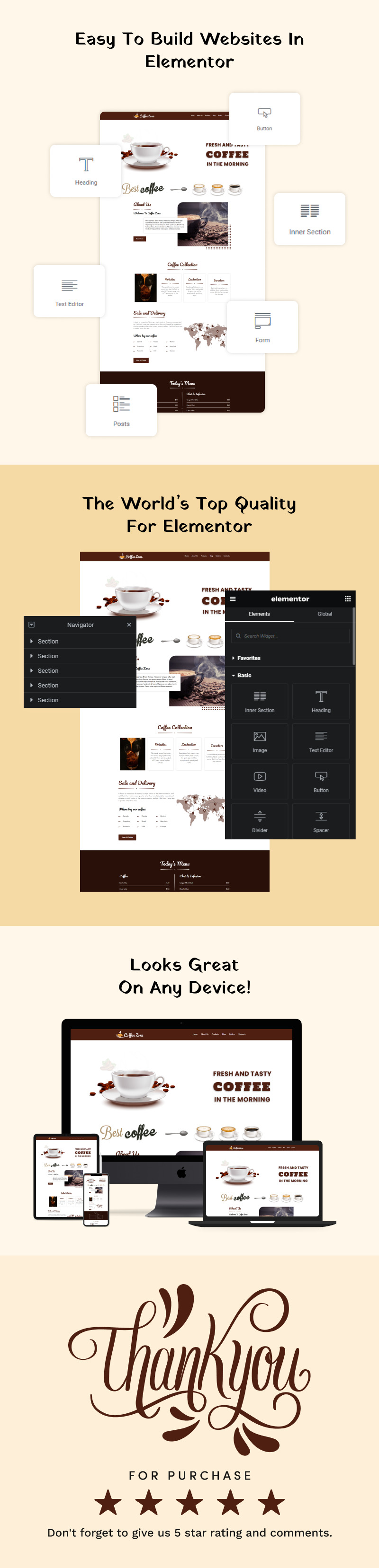
The Coffee Zone Elementor Template Kit helps you easily build a great website for your cafe or coffee brand. It's made for modern coffee shops, small cafes, and local roasters who want to get online without needing to know any code.
This kit helps you create a beautiful website that shares your story, shows off your menu, and turns website visitors into regular customers. It includes all the sections you need: home, about, menu, blog, and contact. Each one is designed to match your cafe's unique style. Your website will look perfect on any device, like phones and tablets, because it's fully responsive. You can also easily change the design to fit your brand.
If you like to plan your designs first, a Photoshop (PSD) version of CoffeeZone is also available. This is great for designers who want to work on the layouts before they start building with free Elementor. Get the Coffee Zone kit today and give your coffee shop the perfect online home!
Template Kit Key Features:
- A Professional Set of Templates
- No Coding Knowledge
- Header & Footer Builder Included
- A single-click Demo Import
- Interesting Classic and Clean Design
- Clear and Clean Layout
- Cross-Browser Compatibility
- Viable with Most WordPress Themes
- Optimized for Search Engines
Required plugins
- Elementor (free)
- Theme Builder for Elementor (free)
- Elements Kit Elementor Add-on (free)
- Met form Elementor Contact Form Builder (free)
Recommended Theme
- Hello Elementor (free)
- Child Theme for Hello Elementor (optional)
How to Import a Template Kit
- Download your main zip folder - unzip this primary folder, and you will find folders: Documentation, Media, and OneClickImport.
- For the main uploadable kit file, please go through the "OneClickImport" folder from the extracted folder - Do not unzip (the zip is titled "elementor-kit.zip")
- Go to WordPress Dashboard - Elementor - Tools - Import / Export Kit
- Click Import a Template Kit
- Drag and drop the included site kit zip file to import
- Select the plugins you want to import (you will need an Elementor Pro license) - Click Next
- Select which parts you want to apply - for a full site import, ensure everything is checked. Click Import
Tips After Importing
- Review our documentation file - this provides installation, configuration, update information, and tutorial videos.
- Once imported, add your site logo to the global Site Settings area.
- Add a new menu for use in the header and a separate (or the same) menu for the footer.
- Re-save your permalinks.
- We offer full documentation on the demo page and support through Template Monster.
License: Premium More info
Topics:
Tags:
Elementor Version:
Features:
Images included:
General software requirements:
Code editing tool ZIP unarchiver